Your school's records are your school's alone
A school register holds children's names, addresses, marks and what their parents owe. Before any of that moves onto a screen you are entitled to know where it sits and who can reach it. This page says so plainly, and claims nothing beyond what the software actually does.
- A separate database for each school
- Parents see only their own children
- Passwords stored hashed, never as text
- Changes recorded in an activity log
A separate database for each school
Many systems of this kind put every school into one shared set of tables and add a column saying which school a row belongs to. Every screen then has to remember to filter on that column, and the day one query forgets, another school's students appear on it.
We do not do that. When your school is set up it gets a database of its own. Your students, your fee receipts, your marks and your staff records live in that one place and nowhere else. Another school cannot reach them by mistake, because nothing anyone could do from their side touches your database at all.
The plain version: two schools are not sharing a filing cabinet with labelled drawers. They have separate cabinets, in separate rooms.
What that means in practice
- Your records are not mixed with any other school's
- No screen depends on remembering to filter by school
- Your school can be backed up, exported or removed on its own
- Your data can be handed back to you as one file
A parent reaches their own children and stops there
A parent account is tied to that parent's own children, and the portal is built around that tie. Attendance, marks, fees, homework and notices are shown for those children and for nobody else's.
There is no screen in the portal that lists the rest of the class, and no address a parent could type that produces one. It is not a filter applied to a shared list — the rest of the school is simply not within reach of that account.
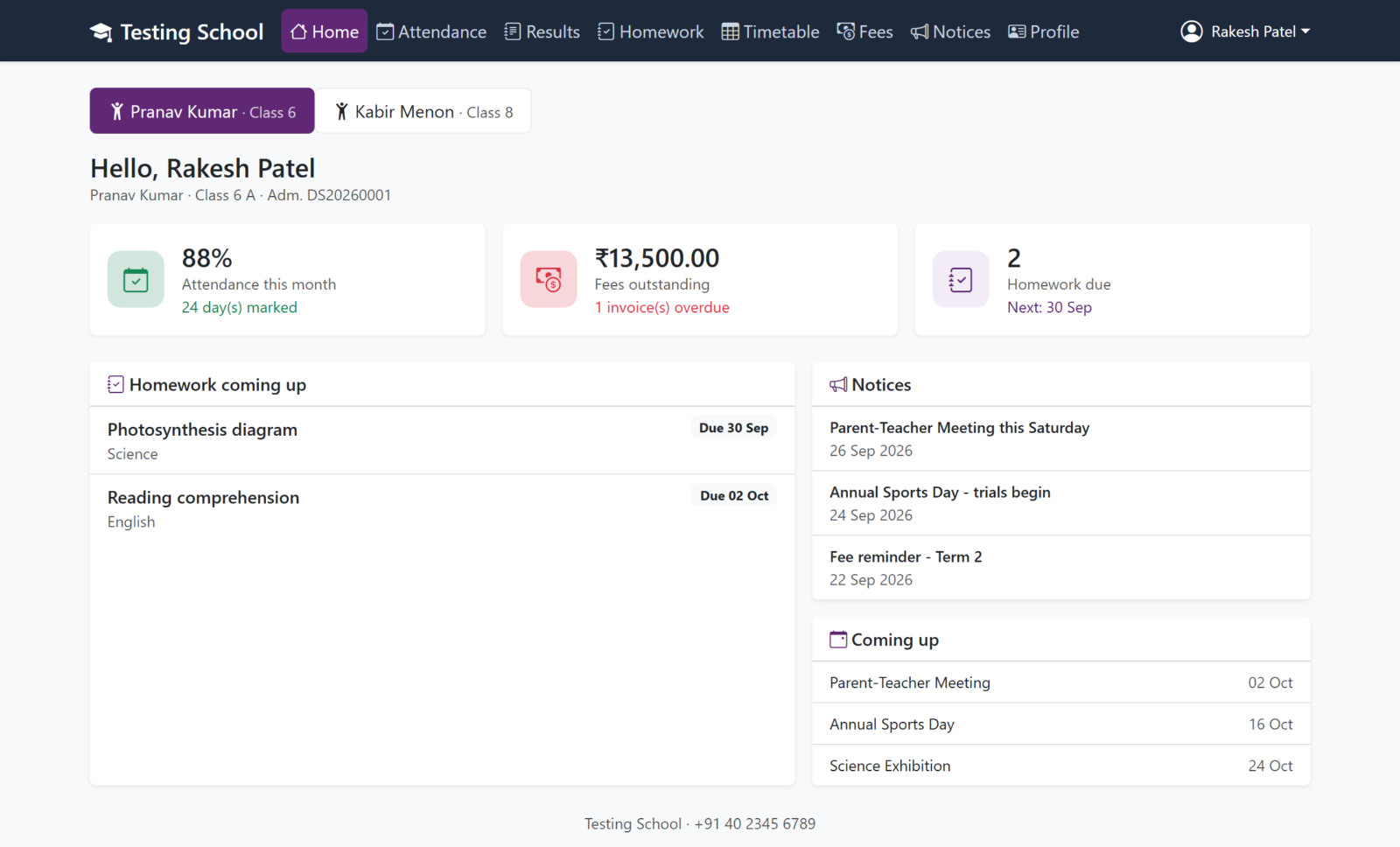
Every account opens only what it needs
Separation inside a school matters as much as separation between schools — and so does the line between your school and us.
Parents
Their own children's attendance, marks, fees, homework and notices. A parent has no screen that lists another family's child.
Staff
Roles decide what opens. A class teacher marking attendance does not need the fee ledger or the payroll, and does not get them. Your own administrator decides who gets what, and can change it later.
Your administrator and our operators
Two different accounts, kept in two different databases. Signing in as one does not sign you in as the other, and neither account grants the other's access. Support work is done as ourselves, never as you.
The ordinary protections, done properly
None of this is clever. It is the set of plain habits a school should be able to assume, and should check for anyway.
Passwords are stored hashed
A password is never kept as readable text. What is stored is a hash — a one-way scramble that can be checked against what somebody types but cannot be turned back into the password. Nobody at your school, and nobody at DV Soft, can look up a teacher's or a parent's password.
A staff account can also be set to force a password change at the first sign-in, so the one the office typed when creating the account does not quietly stay in use.
An activity log of who changed what
The system records the change and the account that made it — marks edited, a fee receipt cancelled, a student's details altered, an account created.
When the office needs to know how a figure came to be what it is, the answer is a page somebody can read, not an argument between two people who remember it differently.
Backups you can download yourself
You can take a backup of your school's data and download it. It is your register: your data is not held hostage to keep you paying, and you do not need anyone's permission to keep a copy.
If you ever leave, you leave with your records.
Your own address, with your own name on it
Each school gets its own web address to sign in at, so staff and parents go to a page that belongs to your school rather than to a shared front door.
Your school's name and logo can be applied to the screens and the printouts, so what a parent sees looks like your school and not like a supplier's product.
What we do not claim
Everything above describes how the software is built, and you can ask us to show you any of it running on a real school. Beyond that, we are careful not to let you assume more than is true.
- We have not been through an external security audit.
- We hold no security certification of any kind.
- We make no claim of compliance with any particular data-protection law. If your country's law places duties on your school, ask us what the software does, and judge it against that law yourself.
- We make no promise on this page about the country your data is stored in. Ask, and we will tell you where your school's database would sit.
When any of that changes we will say so here, with the name of whoever did the checking. If a question about your data is not answered on this page, ask it. A straight answer is cheaper for both of us than a surprise later.
Questions worth putting to any supplier
Whoever you end up buying from, these are the five that separate a careful answer from a confident one.
- Is my school's data in a database of its own?
- Can a parent ever see another family's child?
- Can anyone at your company read a stored password?
- Can I export everything and take it with me?
- Who can see that a record was changed, and by whom?
See it for yourself
The clearest way to judge any of this is to watch it work on a real school and ask the awkward questions while it is on the screen in front of you.